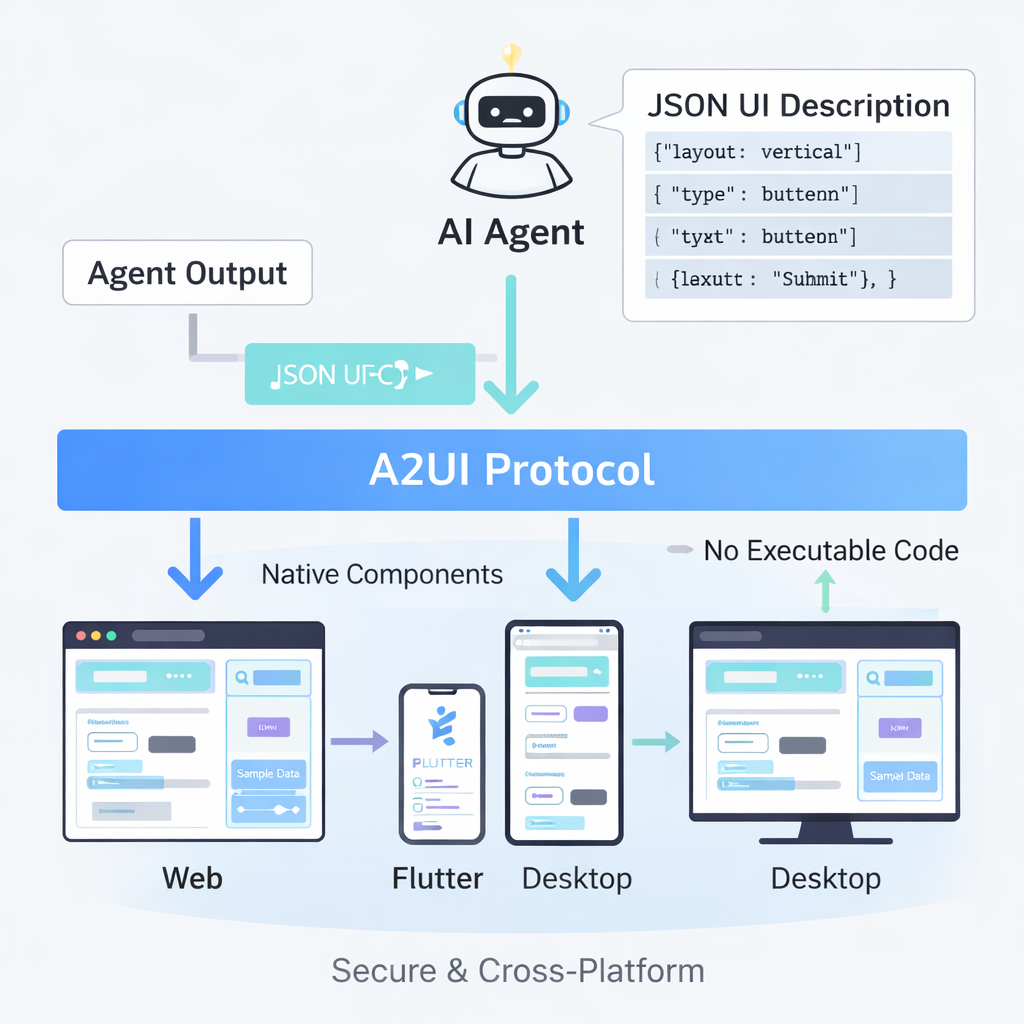
Welcome to the exciting world of A2UI (Agent-to-User Interface)! This comprehensive guide is designed to take you from a complete beginner to a confident builder of dynamic, agent-driven user interfaces. Get ready to transform how AI agents interact with users, moving beyond simple text responses to rich, interactive, and natively rendered experiences.
What is A2UI?
A2UI is an open-source, declarative UI protocol introduced by Google. At its heart, A2UI allows AI agents to generate rich, interactive user interfaces without executing arbitrary code. Instead of agents replying with just text, they can output a structured A2UI format that describes a UI. This format is then rendered natively across various platforms – be it web, mobile, or desktop – providing a consistent and secure user experience. Think of it as a universal language for AI agents to “speak UI.”
Why Learn A2UI?
The landscape of AI is rapidly evolving, and the way users interact with AI agents is at the forefront of this change. Learning A2UI positions you at the cutting edge of agent-driven interface development for several compelling reasons:
- Empower AI Agents: Give your AI agents the ability to generate complex, interactive UIs dynamically, far beyond static text or simple buttons.
- Cross-Platform Consistency: Build once, render everywhere. A2UI’s declarative nature ensures your agent-generated UIs look and behave consistently across web, mobile, and desktop applications.
- Enhanced User Experience: Create more engaging, intuitive, and efficient user flows by allowing agents to adapt the UI in real-time based on context and user input.
- Security and Control: Since agents output a declarative UI description rather than executable code, A2UI offers a more secure and controlled environment for building agentic applications.
- Future-Proof Your Skills: As agentic systems become more prevalent, understanding how to build and integrate rich, dynamic interfaces will be an invaluable skill.
What You Will Achieve
By the end of this learning guide, you will be able to:
- Understand the core principles and architecture of A2UI.
- Design and implement declarative A2UI components and layouts.
- Integrate A2UI with various AI models, both cloud-based (via API keys) and locally run.
- Build interactive, stateful agent-driven applications.
- Apply best practices for developing, testing, and deploying A2UI solutions to production.
- Complete several hands-on projects, giving you practical experience and a portfolio of agentic UI applications.
Prerequisites
To get the most out of this guide, we recommend having:
- Basic Programming Knowledge: Familiarity with Python (for agent development) or JavaScript (for web renderers) will be beneficial.
- Understanding of JSON: A2UI relies heavily on JSON for its declarative structure.
- Familiarity with Command Line/Terminal: For setting up environments and running applications.
- Fundamental AI/ML Concepts (Optional but helpful): A basic grasp of how AI models work will deepen your understanding of agent integration.
Version & Environment Information
As of December 23, 2025, A2UI is an actively developing open-source project. Based on the latest available information, including project milestones, we will be focusing on A2UI v0.9. This version represents the current stable or near-stable release, incorporating the latest features and best practices for agent-driven interfaces.
Installation Requirements:
- Python 3.9+: Essential for developing your AI agents and interacting with A2UI SDKs. We recommend using Python 3.11 for optimal compatibility.
- Node.js 18+ & npm/yarn: Required for running A2UI web renderers and associated frontend tooling. Node.js 20 is the current LTS.
- Git: For cloning repositories and managing your code.
- Code Editor: Visual Studio Code is highly recommended due to its rich extension ecosystem for Python, JavaScript, and JSON.
- Docker (Optional, but recommended for local AI): For easily running local large language models (LLMs) like those provided by Ollama.
Development Environment Setup:
- Install Python: Download and install Python 3.11 from the official Python website. Ensure you add Python to your system’s PATH during installation.
- Install Node.js: Download and install Node.js 20 LTS from the official Node.js website. This will also install npm.
- Install Git: Follow the instructions on the official Git website for your operating system.
- Install Visual Studio Code: Download and install VS Code from the official VS Code website.
- Verify Installations: Open your terminal or command prompt and run the following commands to confirm everything is set up correctly:You should see the installed versions printed.
python --version
node --version
npm --version
git --version
Table of Contents
This guide is structured to provide a logical and progressive learning path, building your skills incrementally.
Chapter 1: A2UI Fundamentals - The Core Concepts
Understand what A2UI is, its design philosophy, and the declarative nature of agent-driven UIs.
Chapter 2: Setting Up Your First A2UI Project
Get hands-on by creating your initial A2UI environment and rendering a basic component.
Chapter 3: Decoding the A2UI Schema - Components and Properties
Dive into the JSON structure of A2UI, exploring common components, properties, and layout options.
Chapter 4: Basic Agent Integration - Generating Static UI
Learn how to make a simple AI agent output an A2UI description to display a static interface.
Chapter 5: Adding Interactivity - Actions and State Management
Explore how to define user actions within A2UI and manage the state of your agent-driven interfaces.
Chapter 6: Dynamic Data and Data Binding in A2UI
Understand how to populate A2UI components with dynamic data and bind agent responses to UI elements.
Chapter 7: Integrating with Cloud AI Models (API Keys)
Connect your A2UI agents to popular cloud-based LLMs using API keys for advanced capabilities.
Chapter 8: Local AI Integration - Running Models with Ollama/Docker
Set up and integrate local AI models using tools like Ollama and Docker for privacy and offline capabilities.
Chapter 9: Building Custom A2UI Renderers (Advanced)
Learn to extend A2UI by creating your own custom renderers for specific platforms or unique UI needs.
Chapter 10: Advanced Agent Architectures and A2UI Orchestration
Explore complex agent frameworks and how A2UI fits into multi-agent systems and sophisticated workflows.
Chapter 11: Project: Interactive Restaurant Finder Agent
A hands-on project to build a complete agent-driven restaurant search and booking interface.
Chapter 12: Project: Smart Task Manager with Agentic Prioritization
Develop an A2UI application for managing tasks, where an AI agent helps prioritize and organize your to-do list.
Chapter 13: Best Practices for A2UI Development
Guidelines for security, performance, maintainability, and user experience in A2UI applications.
Chapter 14: Testing, Debugging, and Production Deployment
Strategies for ensuring the robustness of your A2UI agents and deploying them to a production environment.
References
- Introducing A2UI: An open project for agent-driven interfaces
- A2UI Official Website
- A2UI GitHub Repository
- A2UI Quickstart Guide
- Python Official Website
- Node.js Official Website
- Visual Studio Code Official Website
This page is AI-assisted and reviewed. It references official documentation and recognized resources where relevant.